Convert video to MP3
Drop a video into the Video Converter, choose Extract MP3, and aTube Catcher saves the audio track as an MP3 file on your computer.
Windows · macOS · Linux
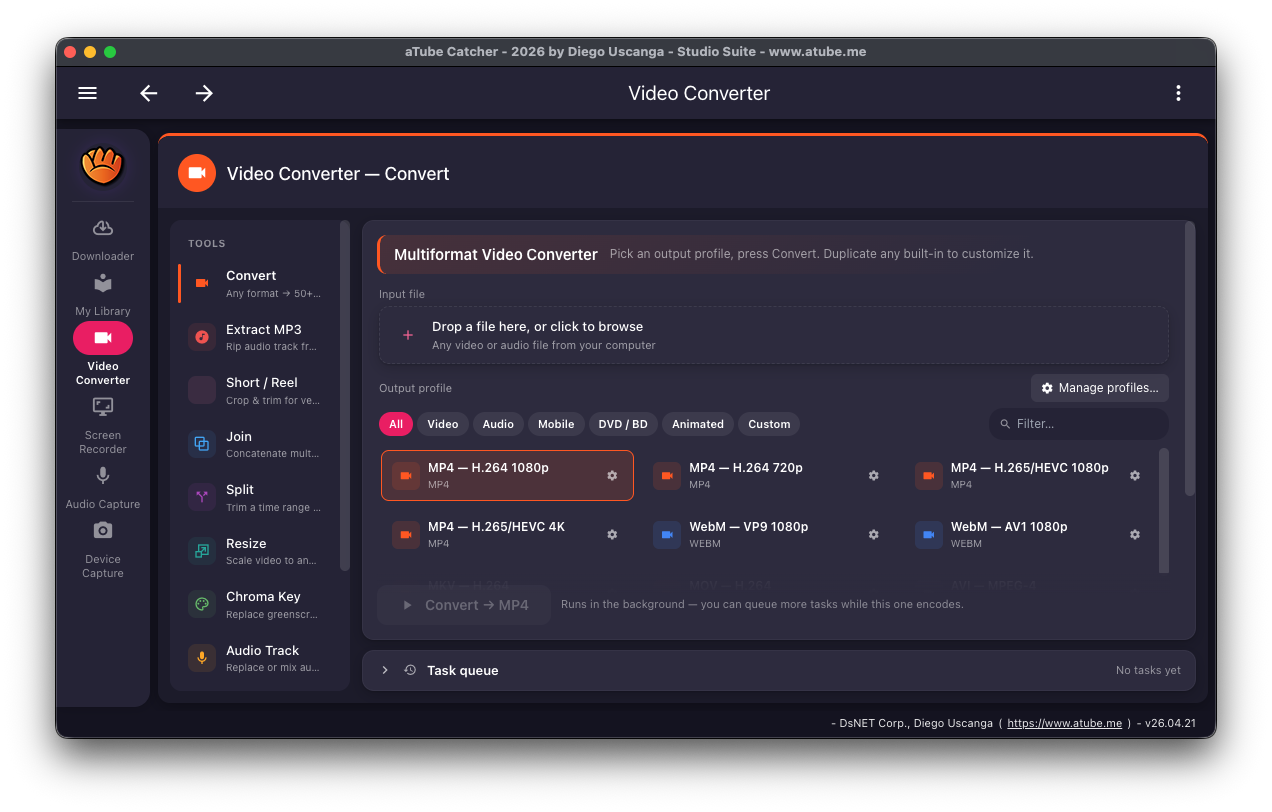
Online converters make you upload your files, wait, and click through ads. aTube Catcher does the job on your own computer with the bundled FFmpeg, so your recordings, lectures and interviews never leave your machine.
Saving a web video you have the right to keep? Pick an MP3 output profile in the Downloader and only the audio track is saved.
Audio options
- Save a video's audio as MP3 Free
- Convert files you already have to MP3 and other audio formats Free
- A whole playlist to MP3 in one go Free
How to convert a video to MP3
-
Open the Video Converter
Choose Video Converter in the sidebar.
-
Choose Extract MP3
Pick Extract MP3 from the list of tools on the left.
-
Add your video
Drop the file into the input box, or click it to browse your computer.
-
Convert
Start the conversion. It runs in the background, and you can queue more files while it works.
Platforms and limits
- Windows, macOS and Linux. FFmpeg is included, so there is nothing else to install.
- The MP3 can't be better quality than the audio in the source video.
Use content you have the right to download
Only download videos and audio you own, that are in the public domain or under a license that allows it, or that the rights holder lets you save. Check the terms of the site you are downloading from.
Frequently asked questions
Is it free to convert video to MP3?
Yes. MP3 audio extraction is part of the free Community edition.
Can I convert a whole playlist to MP3?
Yes. Open Batch downloads, load the playlist and pick an MP3 profile; every item is saved as audio.
Do my files get uploaded anywhere?
No. The conversion runs on your own computer, and it works offline.
Related features
Try aTube Catcher free
The Community edition is free with no time limit. Upgrade to Pro when you need more.