Free video converter for your desktop
Drop in a file, pick an output profile and convert. Conversions run in the background while you keep working.
Windows · macOS · Linux
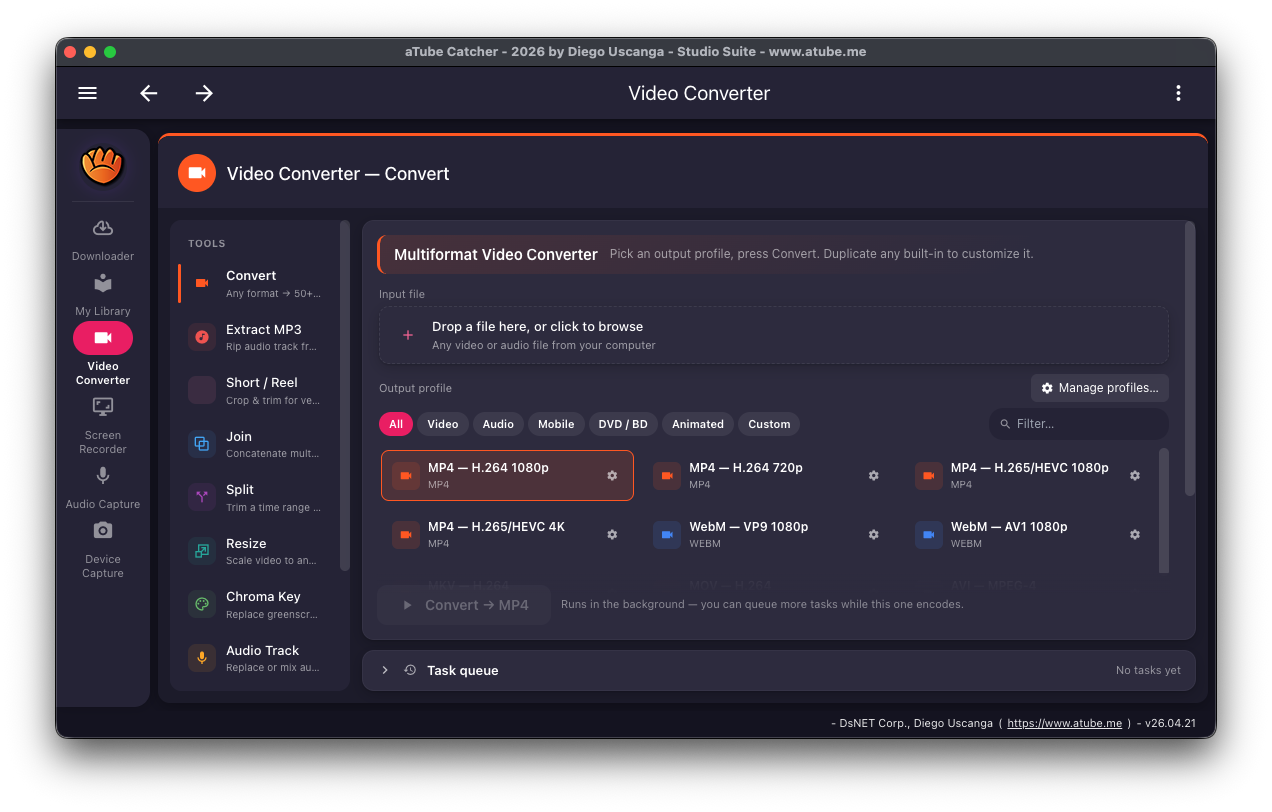
The Video Converter uses FFmpeg with ready-made output profiles, grouped into Video, Audio, Mobile, DVD / BD and Animated, so you don't need to know codec settings. Examples include MP4 (H.264 or H.265/HEVC), WebM (VP9 or AV1) and MP3.
Tasks go into a queue, so you can line up several conversions and let them finish one after another.
Converter tools
- Convert between formats with built-in profiles Free
- Extract the audio track as MP3 Free
- Short / Reel, Join, Split, Resize, Chroma Key and Audio Track tools Free
- Create and edit your own profiles Pro
How to convert a video
-
Open the Video Converter
Click Video Converter in the sidebar and choose Convert under Tools.
-
Add your file
Drag the file onto "Drop a file here, or click to browse", or click to pick it.
-
Pick an output profile
Use the filters (All, Video, Audio, Mobile, DVD / BD, Animated, Custom) or the search box to find a profile, then select it.
-
Convert
Click the Convert button. The task appears in the Task queue, and you can add more while it runs.
Platforms and limits
- Windows, macOS and Linux. FFmpeg is included.
- Conversion speed depends on your computer and the codec; H.265 and AV1 take longer than H.264.
- Creating and editing your own profiles needs Pro. The list above shows the edition for each tool.
Frequently asked questions
Is the video converter free?
Yes. Converting between formats with the built-in profiles, and extracting MP3, are free. Creating your own profiles is part of Pro.
Which formats can I convert to?
Common video and audio formats such as MP4, MKV, WebM and MP3, plus profiles for mobile devices, DVD / Blu-ray and animated formats.
Can I convert several files?
Yes. Each conversion is added to the Task queue and they run one after another in the background.
Related features
Try aTube Catcher free
The Community edition is free with no time limit. Upgrade to Pro when you need more.